
Four integration modes.
One for every architecture.
SmartBoxE84 is uniquely flexible - it adapts to your existing tools, automation stack and deployment scale. Use this guide to identify the right integration path for your use case.
Which mode is right for you?
TCP API
I'm an OEM with a software-controlled loadport and can add TCP communication to my tool controller.
Digital IOs
I need to upgrade a legacy tool with no software access - or prefer a purely electrical, no-code integration.
SECS/GEM PassThrough
I'm a FAB upgrading tools that already have a SECS/GEM interface - without touching equipment or automation.
FAB Port Server
I'm a FAB deploying E84 across dozens or hundreds of tools and need a centralized, scalable architecture.
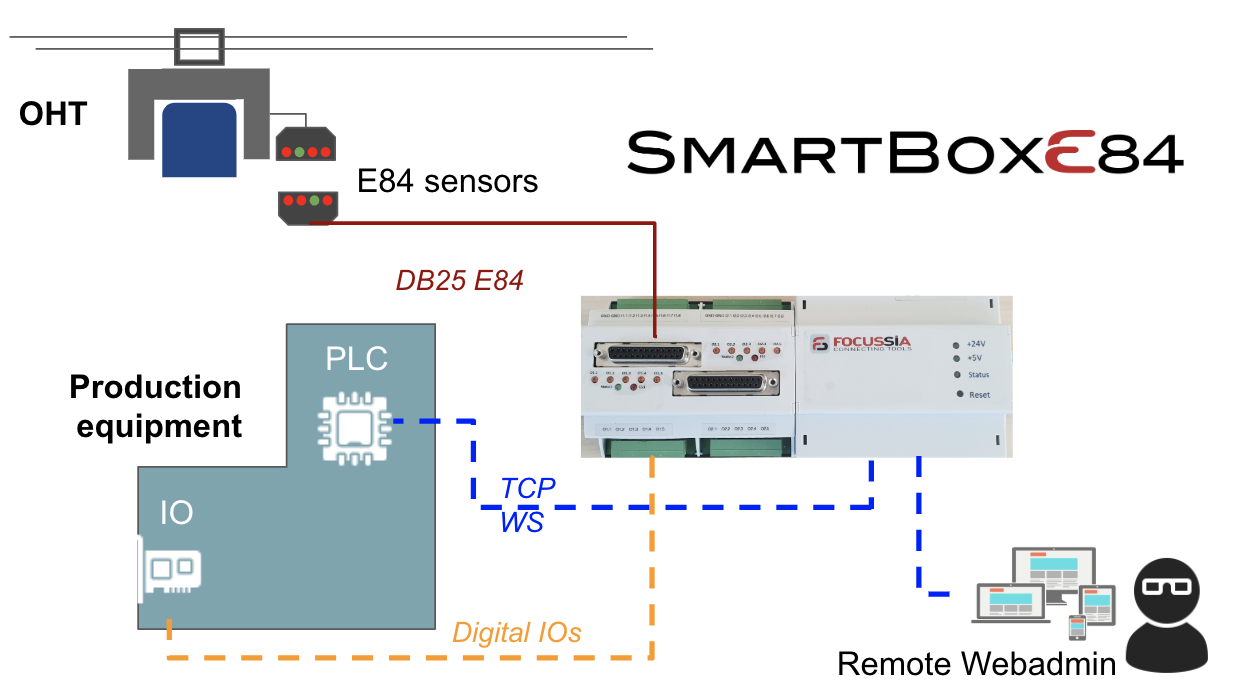
SmartBoxE84 Native TCP API
The standard OEM integration - software sends loadport status via TCP commands
How it works
Your equipment controller opens a TCP connection to SmartBoxE84 and sends simple ASCII commands reflecting the loadport state (Material Present, Clamped, Placed, etc.). SmartBoxE84 handles the complete E84 handshake sequence and drives the IR transceiver.
- Simple ASCII protocol, documented and stable
- Works with any TCP-capable controller (PLC, PC, embedded)
- REST API also available for modern integrations
- Full API documentation and code examples provided
- Supported by WebAdmin for real-time monitoring
SmartBoxE84 Native Digital IOs
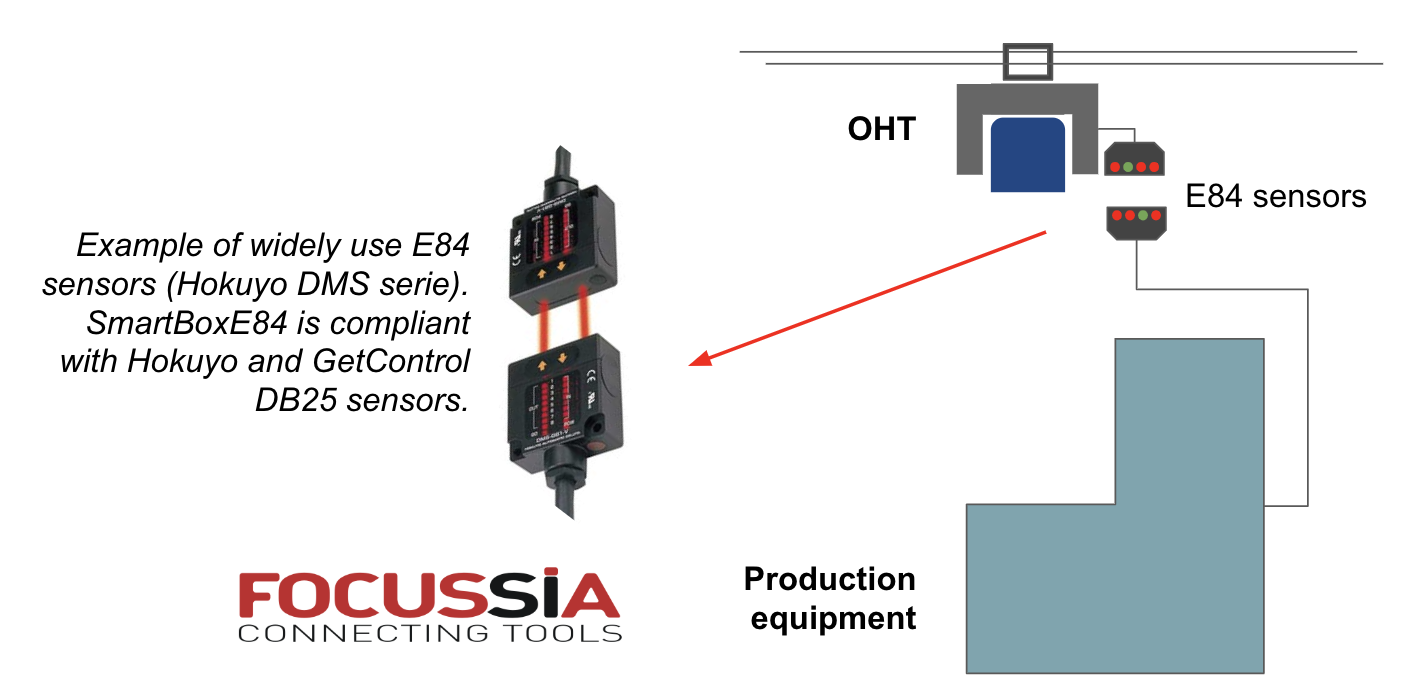
No software required - pure electrical signals from your loadport
How it works
SmartBoxE84's digital inputs are wired directly to the loadport's status signals. No controller software change - the box reads the electrical signals and runs the E84 protocol independently.
- No software modification to existing tool
- Works on any equipment regardless of age or controller type
- Per port: Material Detection, Material Present, Placement, Clamp, Emergency Stop inputs
- Extended auxiliary inputs and outputs available
- Fastest physical installation path
SECS/GEM PassThrough (SmartPassThrough)
Exclusive Focussia technology - non-intrusive tap on the HSMS/SECS line
How it works
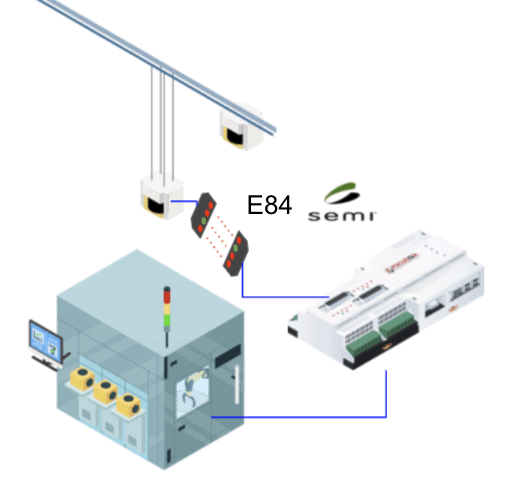
SmartPassThrough taps the SECS/HSMS communication line between Host and equipment, extracts relevant loadport status messages, and feeds them to SmartBoxE84 - all without interrupting the existing communication or modifying any software.
- Zero impact on Automation / MES / Host
- Zero modification to equipment software
- Fits most fab architectures and SECS variants
- Engineering work required per tool type to map SECS messages
- Can trigger alarms and events to Automation
FAB Port Server API
Centralized FAB-side server dispatching status to all SmartBoxE84 units
How it works
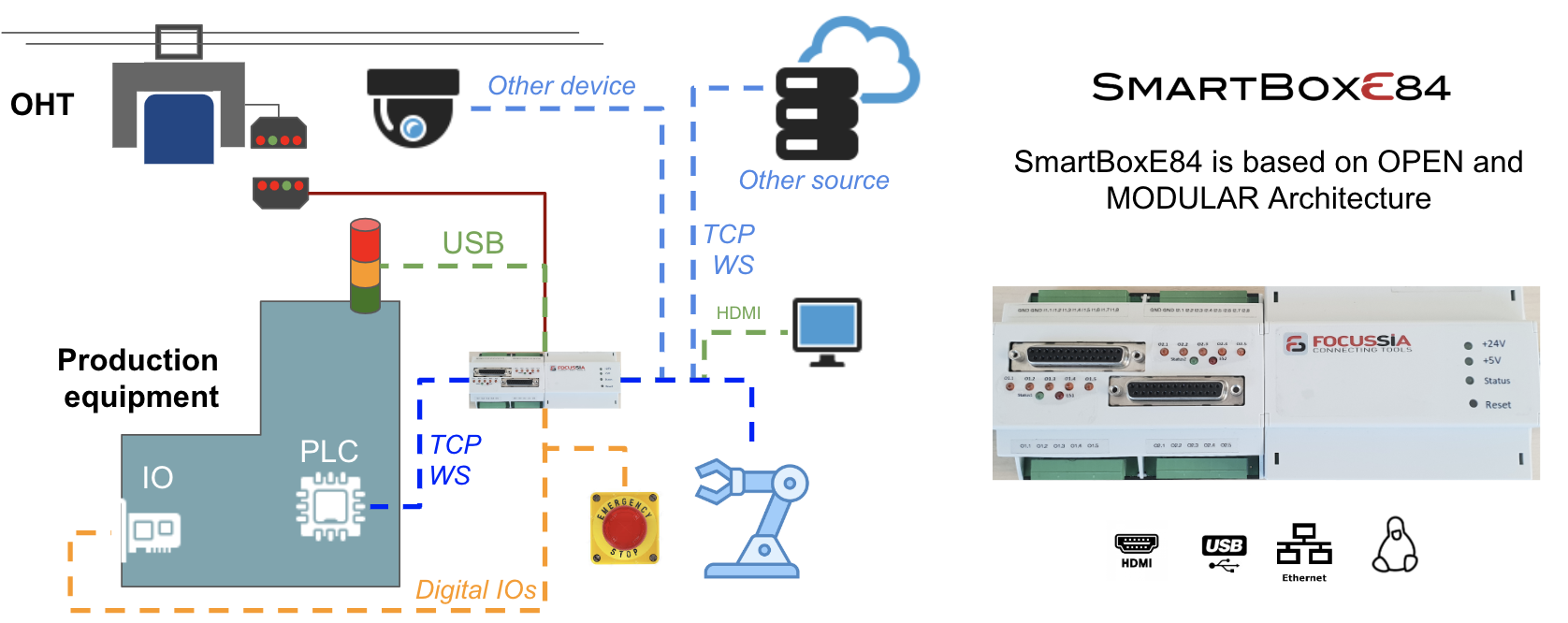
A central FAB Port Server - developed once, specific to the fab's automation architecture - aggregates loadport status from all equipment and distributes it via API to each SmartBoxE84. Once the server is built, each new tool integration is instantaneous.
- Integrate the FAB system once - deploy to unlimited tools
- Centralized configuration and monitoring
- Best economics at scale (50+ tools)
- Focussia provides architecture consulting and server development support
- Most deployed mode in real fab-wide E84 deployments
Our engineers have seen your architecture before.
Tell us about your tool types, controller architecture and deployment scale. We'll recommend the right integration path and provide a step-by-step plan - for free.